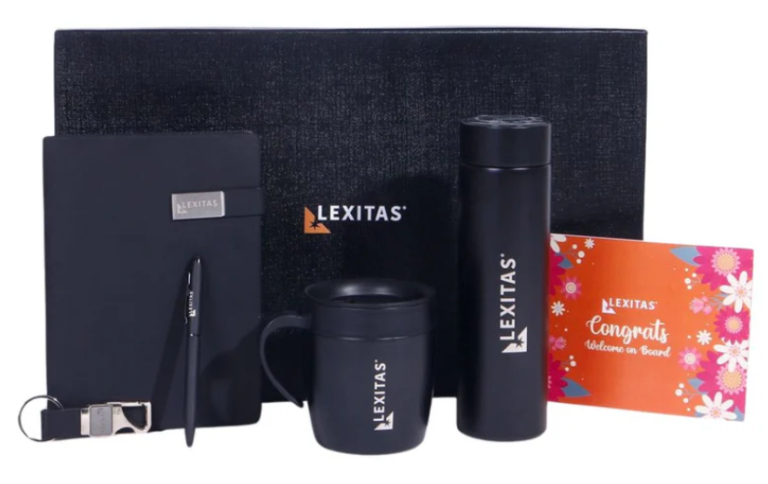
Onboarding a new hire is a stressful formality that every HR manager dreads. And from the employee’s perspective, an employee kit is probably more predictable and monotonous than the company policy. Addressing this problem is key to transforming the employee’s first impression of the company, which further affects a multitude of factors. Most companies stop at branding, but a thoughtful employee kit that integrates utility, sustainability, and company values is a top-tier investment in a long-term relationship.
Why Every Company Needs an Employee Kit
While onboarding a new employee is mostly paperwork and orientation sessions, an employee kit is what positions a company as organized, welcoming, and attentive. A kit that balances utility with a touch of personalization is a direct statement regarding company policies and employee welfare. This ensures a boost in early engagement and helps new hires feel like part of the team from the very first day.
Practical Office Essentials
Every employee kit must include everyday, practical items. From stationery that includes pens, notebooks, and sticky notes, to desk accessories and drinkware, these items save new hires from scrambling to equip themselves, allowing them to feel ready and confident from the moment they walk in.
Company Information and Onboarding Tools
Welcome gestures are hollow without any information or instructions to act upon. Including a welcome letter, an employee handbook, and a culture guide in the employee kit acts as instructional pieces that not only induce a feeling of genuine appreciation but also equip new hires with resources that can help them through the initial days.
Branded Merchandise for Belonging
Branding clothing, lanyards, or even logo-printed accessories acts as a daily reminder that the employee is now part of something bigger. Merchandise fosters a sense of identity and belonging, which directly translates to improvements in motivation and loyalty, raising their value from being mere tokens.
Personalized Touches
Any good employee kit is incomplete without a bit of personalization. Custom name tags are simple, while role-based tools are more thoughtful and specific. The general idea is to make the kit feel exclusive and personal. These little touches form a significant psychological connection with the company, making the new hire feel seen as an individual.
The Culture Toolkit
Help your new employees understand the unwritten rules and the history of your company. An employee handbook is a must, but you can make it more interesting by adding a Culture Playbook or a mission card that lists the values of your company. Some companies go as far as adding a Team Favourite list, which includes the best coffee shops or the favourite lunch orders of the team, to help them adjust to the social environment of the office.
Conclusion
Your onboarding process is the first impression that lasts for years, so by focusing on quality over quantity and choosing items that resonate with your company values, you can turn a standard first day into an unforgettable welcome. Whether you are a small startup or a large corporation, a thoughtful employee kit is the ultimate way to say, ‘You belong here.’
Brands like Bigsmall Corporate have entire product lines of employee kits built around the philosophy of making new members feel welcomed, comfortable, and confident in both startups and corporations alike.
Abayas are timeless, elegant, and endlessly versatile. Whether you’re dressing for a casual outing, a corporate meeting, a wedding, or Eid celebrations, the right accessories can completely transform your look. In 2026, styling abayas for women is all about thoughtful layering, balanced details, and occasion-appropriate accents.
From minimalist daywear to glamorous evening statements, here’s your complete guide to accessorising your abaya for every event.
Casual Day Out: Effortless & Chic
For coffee dates, shopping trips, or everyday errands, the goal is simplicity with a polished touch. Lightweight fabrics and relaxed cuts are ideal for daytime.
Flat Sandals or Sneakers: Clean white sneakers create a modern edge with classic silhouettes.
Minimal Jewelry: Small gold hoops or a delicate bracelet keep the look refined.
Soft Scarves: Lightweight chiffon or cotton hijabs complement breathable abayas for women perfectly.
If you’re wearing open abayas,styling abayas for women is all about thoughtful layering, balanced details, and occasion-appropriate accents.
layer them over a monochrome inner dress or tailored trousers and a blouse. Add a slim belt to define the waist for a structured daytime look.
Style Tip: Keep accessories understated. Daywear abayas shine when styling is relaxed and natural.
Work & Business Meetings: Structured & Sophisticated
Professional settings call for polished elegance. Structured cuts, darker hues, and tailored details elevate your presence without overpowering your modest aesthetic.
How to Accessorise:
Structured Handbags: A classic tote in black, taupe, or deep burgundy.
Closed-Toe Heels or Loafers: Neutral shades maintain professionalism.
Statement Watch: A sleek metallic or leather-strap watch adds authority.
Subtle Brooch: A small brooch pinned near the shoulder adds personality without distraction.
For workwear, tailored open abayas with sharp lapels are trending in 2026. Layer over a crisp inner dress or wide-leg trousers for a confident silhouette.
If you choose minimalist embellished abayas, ensure the detailing is subtle—think fine embroidery along cuffs rather than heavy beadwork.
Style Tip: Balance is key. Avoid overly bold accessories in corporate environments.
Iftar & Social Gatherings: Soft Glam
Ramadan gatherings and social dinners offer a chance to add gentle glamour to your look. This is where textures and layered accessories make an impact.
How to Accessorise:
Metallic Clutch Bags: Gold or champagne tones elevate neutral abayas.
Heeled Sandals: Slim straps create a refined evening feel.
Layered Necklaces: If your abaya neckline is simple, delicate layers enhance elegance.
Statement Earrings: Pearl drops or crystal studs complement semi-formal attire.
Flowing open abayas in satin or crepe fabrics are perfect for Iftar evenings. When wearing lightly embellished abayas, match your jewelry tone to the embellishments for a cohesive finish.
Style Tip: If your abaya includes intricate embroidery, keep your handbag and shoes simple to avoid visual overload.
Weddings & Formal Events: Full Elegance Mode
Formal events call for luxurious styling. Rich fabrics, intricate detailing, and bold accessories create a show-stopping look.
How to Accessorise:
Jeweled Clutches: Opt for crystal or pearl-adorned pieces.
High Heels: Classic stilettos or embellished sandals enhance your silhouette.
Bold Jewelry: Chandelier earrings or a statement cuff bracelet.
Decorative Belts: A jeweled belt can transform simple abayas for women into evening masterpieces.
This is where embellished abayas truly shine. Detailed beadwork, sequins, or hand embroidery become the focal point of your outfit. Keep your hijab in a complementary solid shade to balance the look.
If you prefer open abayas, choose luxurious fabrics like organza overlays or silk blends layered over a matching gown.
Style Tip: Choose one focal accessory—either bold earrings or a statement clutch—to keep your outfit elegant rather than overwhelming.
Eid Celebrations: Festive & Refined
Eid is the perfect time to blend tradition with celebratory glamour. Think polished yet joyful styling.
How to Accessorise:
Soft Metallic Heels: Rose gold and champagne tones are popular in 2026.
Structured Mini Bags: Elegant and festive without being heavy.
Pearl Jewelry: Timeless and graceful.
Silk Hijabs: Add richness and subtle shine.
Pair jewel-toned open abayas with tonal inner dresses for a layered festive look. For those opting for heavilyembellished abayas, let the craftsmanship stand out by keeping accessories coordinated and minimal.
Style Tip: Add a touch of shimmer through accessories rather than layering too many textures.
Travel & Airport Looks: Comfortable Yet Stylish
Travel requires comfort, but that doesn’t mean sacrificing style.
How to Accessorise:
Large Tote Bags: Practical yet polished.
Comfortable Flats: Ballet flats or cushioned sandals.
Oversized Sunglasses: Instantly elevate simple abayas for women.
Lightweight Shawl: Functional and stylish for changing temperatures.
Neutral open abayas are ideal for travel because they’re easy to layer and adjust.
Style Tip: Stick to wrinkle-resistant fabrics and neutral accessories for effortless airport elegance.
The Golden Rules of Accessorising Abayas
Regardless of the event, these universal styling principles apply:
1. Match the Occasion
Heavier embellished abayas pair best with formal events, while minimalist styles suit casual settings.
2. Balance Proportions
Flowing abayas look best with sleek accessories. Structured abayas can handle bolder accents.
3. Coordinate Colors
Choose accessories within the same color family for a cohesive appearance.
4. Quality Over Quantity
Invest in timeless pieces that elevate multiple abayas for women in your wardrobe.
Final Thoughts
Accessorising your abaya is an art of balance and intention. From casual daytime looks to glamorous evening ensembles, the right bag, shoes, jewelry, and layering pieces can completely redefine your outfit.
Whether you’re styling minimalist open abayas for daily wear or showcasing luxurious embellished abayas at formal events, thoughtful accessorising ensures you always look polished and event-ready.
In 2026, modest fashion continues to celebrate individuality—so choose accessories that not only complement your abaya but also reflect your personal style with confidence and grace.
TheIGET EDGE 10K Puffs Starter Kit stands out for its impressive puff capacity and modern design tailored to regular vapers. Built for longevity, this device offers up to 10,000 puffs, making it suitable for users who prefer fewer replacements and uninterrupted sessions. The compact body feels comfortable in hand while maintaining a sleek and stylish appearance. Performance remains consistent from the first inhale to the last. The integrated battery supports stable vapour production, ensuring flavour retention throughout the lifespan of the device. Users benefit from a smooth nicotine experience without harshness, making it appealing to both beginners and experienced individuals. Its ready-to-use structure eliminates complicated setup, allowing instant enjoyment right out of the box.
Portability is another strong feature. The device fits easily into pockets or bags, supporting discreet daily use. Whether used during work breaks or social gatherings, it provides reliable vapour output without leakage or flavour decline. The well-balanced airflow enhances each draw, delivering satisfying clouds while maintaining comfort. Durability also plays an important role. Designed with high-quality materials, the device withstands regular use while keeping its refined appearance intact. For vapers looking for high puff count, flavour stability, and sleek aesthetics, this starter kit provides a dependable solution in today’s evolving vape market.
Vapengin EROS Near Bishopdale High Puff Convenience
For those searching locally,Vapengin EROS Near Bishopdale delivers extended usage combined with accessibility. Offering up to 20,000 puffs, this pod-based system focuses on longevity and convenience. Its design supports users who prefer minimal replacements and consistent performance throughout the day. The pod-only format simplifies the experience. Users can replace pods without replacing the entire device, making it a practical option for frequent vapers. The airflow system ensures balanced vapour production, maintaining flavour strength even after extended use. This consistency appeals to individuals who prioritise reliability and smooth nicotine satisfaction. Accessibility near Bishopdale adds another layer of convenience. Local availability reduces waiting times and ensures customers can maintain their vaping routine without interruption. The modern exterior design complements its powerful internal performance, creating a blend of style and durability.
Flavour retention remains strong across different pod options, allowing users to switch tastes without compromising quality. The stable battery performance and long puff capacity make it a strong choice for heavy users who require extended reliability. Combining location convenience with high capacity, this device continues to gain attention among New Zealand vapers.
Water Pipe For Vapes Enhancing Vapour Smoothness
For users exploring alternative setups, aWater Pipe For Vapes can introduce a different vapour experience. Designed to cool and filter vapour before inhalation, these accessories aim to provide smoother draws. By passing vapour through water filtration, users often notice a softer inhale and modified flavour profile. Compatibility plays an important role when integrating such accessories. Many water pipe attachments are adaptable to various vape devices, offering flexibility for experimentation. This setup can appeal to those seeking deeper clouds and a cooler sensation during sessions.
Another benefit lies in customisation. Users can pair their preferred device with a compatible water pipe for varied experiences depending on mood or environment. The water filtration system may help reduce harshness, particularly for individuals who enjoy stronger nicotine strengths or dense vapour production. Designs range from compact glass pieces to more elaborate constructions, allowing personal preference to guide the choice. For experienced users who enjoy exploring new setups, these accessories expand possibilities beyond standard pod use. With the right combination, vaping sessions can feel smoother while maintaining flavour integrity and vapour density.
Vapengin Jupiter 13,000puffs Balanced Output And Extended Use
High-capacity devices remain popular, andVapengin Jupiter 13,000puffs brings a strong balance between portability and longevity. With up to 13,000 puffs, this device caters to users who want extended sessions without excessive bulk. Its ergonomic design supports comfortable handling, making it suitable for daily carry. The internal battery sustains stable power delivery, ensuring consistent vapour output. Flavour clarity remains intact throughout usage, which is essential for those who value taste depth and nicotine balance.
The airflow system contributes to a smooth inhale while maintaining cloud production. This combination of performance and practicality makes it attractive for individuals who prefer high puff capacity without sacrificing convenience. Users appreciate the reliable structure and minimal maintenance requirements. Another notable aspect is flavour consistency. Even after extended usage, vapour production remains steady without a drop in intensity. The durable build quality enhances long-term usability, allowing vapers to rely on it during busy routines. For those wanting more than standard disposable options, this device offers a dependable mid-range capacity solution.
Fruit Bomb Nic Salts 30ML Bold Flavour Profiles
Flavour plays a vital role in vaping satisfaction, andFruit Bomb Nic Salts 30ML delivers vibrant taste combinations in a compact bottle. Designed for pod systems and refillable devices, these nicotine salts focus on smooth throat hits paired with intense fruit blends. Each flavour variant highlights layered fruit notes, offering sweet, tangy, or refreshing profiles depending on preference. Nicotine salt formulation allows quicker absorption while maintaining a comfortable inhale, making it suitable for transitioning smokers and seasoned users alike.
The 30ML bottle size provides convenience for regular refills without frequent repurchasing. Users benefit from flavour consistency across different compatible devices. The liquid blends are crafted to maintain taste clarity even with continuous use, ensuring that each puff remains satisfying. Versatility also makes these nicotine salts appealing. They can complement devices like the IGET EDGE or other pod systems, offering flexibility across setups. For individuals who prioritise flavour intensity combined with smooth nicotine delivery, these blends offer a strong addition to their vaping routine.
Conclusion
The vaping market continues to expand with devices and flavours tailored to different preferences. From the high-capacity performance of the IGET EDGE 10K to extended puff options like Vapengin models, users have multiple choices depending on usage habits. Accessories such as water pipe attachments further diversify experiences, while nicotine salt blends provide vibrant flavour options. Together, these products highlight the importance of capacity, consistency, and flavour quality in shaping a satisfying vaping journey.
Cloud technology is no longer a future concept. It is the present foundation of IT infrastructure. Organizations today expect faster software delivery, secure deployments, and automated workflows. This demand has significantly increased the need for professionals trained in Azure DevOps and cloud computing.
For students and working professionals searching for Azure DevOps Training in Hyderabad or Azure DevOps Training in KPHB Hyderabad, choosing the right institute is the first step toward building a stable and high-growth career in the cloud domain.
V Cube Software Solutions offers practical, industry-aligned Azure DevOps and cloud training programs designed to make learners job ready.
Why Azure DevOps Skills Are in High Demand
Modern software development depends on speed and efficiency. Companies follow DevOps practices to reduce manual effort, improve collaboration between development and operations teams, and ensure continuous delivery.
Azure DevOps integrates version control, build automation, testing, and deployment pipelines into a streamlined system. Professionals skilled in these tools are highly valued across IT companies in Hyderabad and beyond.
This is why structured Azure DevOps Training in Hyderabad has become essential for those looking to enter the cloud and automation space.
Azure DevOps Training in KPHB Hyderabad with Practical Exposure
Learners often search for Azure DevOps Training in KPHB Hyderabad because accessibility and hands-on training matter. A quality program must focus on practical implementation rather than theoretical explanations.
At V Cube Software Solutions, training includes:
Continuous Integration and Continuous Deployment (CI/CD) pipeline creation
Version control systems and repository management
Automated build and release configuration
Infrastructure setup using cloud services
Monitoring and performance optimization
Students work on real-time lab environments, allowing them to understand how DevOps processes operate in actual business scenarios.
Cloud Computing Course in Hyderabad: Building the Foundation
Azure DevOps works closely with cloud platforms. Without understanding cloud architecture, DevOps skills remain incomplete. That is why a structured Cloud Computing course in Hyderabad is an important complement to DevOps training.
V Cube integrates core cloud concepts into the training program. Students learn about:
Virtual machines and compute services
Cloud storage solutions
Networking fundamentals
Identity and access management
Security best practices
This foundation helps learners deploy and manage applications efficiently in cloud environments.
Cloud Computing Training in Hyderabad with Placements
Many learners specifically look for Cloud Computing Training in Hyderabad with placements because their primary goal is employment. Technical knowledge alone is not enough. Interview preparation and real project exposure are equally important.
V Cube Software Solutions supports learners with:
Resume building sessions
Interview preparation guidance
Mock technical interviews
Real-time case studies
Practical assignments
This approach improves confidence and enhances placement readiness.
Azure DevOps Training Institute in Hyderabad: What Makes It Reliable
When selecting an Azure DevOps training institute in Hyderabad, learners should evaluate curriculum quality, trainer experience, and hands-on exposure.
V Cube Software Solutions focuses on delivering:
Structured DevOps lifecycle understanding
Cloud-based deployment automation
Configuration management practices
Continuous monitoring implementation
The emphasis is always on practical learning so that students can handle real corporate projects after course completion.
Best Multicloud Training Institute in Hyderabad
The industry is gradually moving toward multi-cloud environments. Organizations use multiple cloud platforms to improve flexibility, reliability, and cost optimization.
Being part of the Best multicloud training institute in Hyderabad means learning how to manage and deploy applications across different cloud infrastructures. V Cube provides training that prepares learners for hybrid and multi-cloud strategies.
This broad exposure increases career opportunities compared to single-platform learning.
Best Multicloud Training in KPHB for Expanding Skill Sets
Professionals searching for the best multicloud training in KPHB often want advanced skills that go beyond basic cloud concepts. V Cube offers practical training that includes deployment automation, resource optimization, and infrastructure management across platforms.
Students gain clarity in architecture design, deployment strategies, and performance management in multi-cloud environments.
Azure Multicloud Course in Hyderabad for Advanced Learning
An advanced azure multicloud course in Hyderabad prepares learners to manage complex enterprise systems. Businesses today require professionals who understand both DevOps automation and cloud integration.
V Cube Software Solutions integrates Azure DevOps practices with multi-cloud concepts, ensuring learners are equipped to handle enterprise-level deployments.
Cloud Computing Coaching Center in Hyderabad with Hands-On Labs
A reliable cloud computing coaching center in Hyderabad should provide interactive learning and lab-based practice. Cloud and DevOps cannot be mastered through theory alone.
At V Cube, students practice configuring cloud resources, creating automated pipelines, and managing deployment workflows in simulated real-world environments.
This hands-on model improves technical understanding and problem-solving skills.
Career Opportunities After Azure DevOps and Cloud Training
With experience, professionals can move into senior DevOps architect or cloud consultant roles.
Why Choose V Cube Software Solutions
V Cube Software Solutions has built a reputation for delivering practical, career-focused training. The institute emphasizes skill development aligned with industry expectations.
Key highlights include:
Industry-relevant curriculum
Practical cloud labs
Real-time DevOps implementation
Placement-oriented support
Experienced trainers
For learners searching for Azure DevOps Training in KPHB Hyderabad, a professional Azure DevOps training institute in Hyderabad, or a structured Cloud Computing course in Hyderabad, V Cube offers a strong learning pathway.
Long-Term Value of Azure DevOps and Cloud Skills
Cloud adoption and automation will continue to grow across industries. Organizations rely on efficient deployment pipelines and scalable infrastructure. Professionals trained in Azure DevOps and cloud computing remain valuable in this evolving landscape.
By enrolling in a structured program at V Cube Software Solutions, learners gain future-ready skills that support long-term career growth.
Conclusion
The demand for Azure DevOps and cloud professionals in Hyderabad is steadily increasing. Enrolling in Azure DevOps Training in Hyderabad combined with a strong Cloud Computing course in Hyderabad can significantly improve career opportunities.
For learners seeking the Best multicloud training institute in Hyderabad or a reliable cloud computing coaching center in Hyderabad, V Cube Software Solutions provides structured, practical, and career-oriented training designed for real-world success.
In today’s industrial and commercial environments, businesses are increasingly focused on hygiene, operational efficiency, and smart communication systems. Two well-known names that support these needs across different sectors are Ecolab Rinse Max II and Ascom Tateco. While they serve different purposes, both solutions play an important role in improving workplace performance, safety, and service quality.
This SEO-friendly guide explains how Ecolab Rinse Max II supports professional cleaning operations and how Ascom Tateco strengthens real-time communication for critical environments.
Understanding Ecolab Rinse Max II in professional cleaning operations
Ecolab Rinse Max II is a high-performance rinse additive designed for commercial dishwashing and warewashing systems. It is widely used in hospitality, healthcare kitchens, food processing units, and large commercial facilities where spotless results and fast drying are essential.
Developed by Ecolab, Rinse Max II is formulated to reduce water spotting, streaking, and residue on glassware, plates, and utensils. Its advanced surfactant technology allows water to sheet off surfaces efficiently, helping items dry faster and look cleaner after every wash cycle.
From an operational point of view, this brings several benefits:
Faster turnaround of cleaned items
Improved presentation of glassware and crockery
Reduced need for manual polishing
Consistent wash quality even during high-volume operations
For businesses operating large kitchens or catering facilities, maintaining hygiene standards is not optional—it is a compliance requirement. Ecolab Rinse Max II supports this by delivering consistent rinse performance that helps prevent leftover detergent film and improves overall wash results.
Another major advantage is water efficiency. Because the rinse solution improves sheeting and drying, facilities often experience fewer rewash cycles, which supports sustainability goals and lowers operating costs. For organisations that manage multiple kitchens or service points, this consistency becomes extremely valuable for quality control.
Why Ecolab Rinse Max II is important for hygiene-driven industries
Industries such as healthcare, hospitality, cruise operations, and industrial catering depend on reliable cleaning chemistry. Any compromise in the rinsing stage can lead to visual defects, hygiene concerns, and customer dissatisfaction.
Rinse Max II is especially suitable for:
Hotels and resorts
Institutional kitchens
Hospitals and healthcare food services
High-capacity catering units
By supporting fast drying and spotless finishes, the solution helps facilities meet strict hygiene and presentation standards without increasing labour time.
Introducing Ascom Tateco and its role in smart communication
While Ecolab focuses on hygiene and cleaning performance, Ascom Tateco operates in an entirely different but equally critical area—professional communication systems.
Ascom Tateco is globally recognised for developing intelligent communication and alarm systems that are used in healthcare facilities, industrial plants, secure environments, and large operational infrastructures. The company’s solutions are designed to ensure that the right information reaches the right person at the right time.
In environments where response time is critical, such as hospitals, control rooms, and technical operations, reliable communication infrastructure is essential. Ascom Tateco systems typically support:
Real-time alerts and notifications
Staff location and workflow optimisation
Secure messaging and alarm management
Integration with operational and safety systems
These solutions reduce manual coordination and help organisations respond quickly to incidents, maintenance requirements, or service requests.
How Ascom Tateco improves operational efficiency
One of the biggest challenges in large facilities is communication delay. Traditional paging or manual reporting systems can cause confusion, missed alerts, and inefficient task allocation.
Ascom Tateco addresses this by offering intelligent platforms that connect staff, equipment, and digital workflows. Automated alerts and mobile communication tools allow teams to react immediately to operational needs.
For example, in healthcare or industrial environments, Ascom Tateco systems can:
Instantly notify technicians about equipment faults
Escalate alarms if no response is detected
Improve staff coordination across multiple departments
Provide management with data insights for workflow improvement
This level of system integration significantly improves safety, productivity, and service reliability.
Why Ecolab Rinse Max II and Ascom Tateco are both relevant for modern facilities
Although Ecolab Rinse Max II and Ascom Tateco serve different functions, both contribute to building efficient, well-managed, and compliant operations.
Ecolab Rinse Max II supports:
Hygiene compliance
Visual quality of cleaned items
Reduced labour and rewash cycles
Sustainability and water efficiency
Ascom Tateco supports:
Faster response times
Smarter staff coordination
Improved safety and communication reliability
Digital transformation of operational workflows
Together, these solutions demonstrate how modern facilities rely not only on strong cleaning performance but also on intelligent communication infrastructure.
Final thoughts
For organisations that prioritise hygiene excellence and operational efficiency, choosing the right technologies is critical. Ecolab Rinse Max II helps commercial and institutional kitchens maintain high cleaning standards with consistent, fast-drying results. At the same time, Ascom Tateco empowers teams with real-time communication systems that improve response speed, safety, and overall service quality.
Whether your focus is spotless warewashing performance or advanced communication systems for complex environments, both solutions play an important role in supporting modern, high-performance facilities.
An Insurance coverage plays a role; understanding the scope of available policy limits can significantly shape case strategy, settlement posture, and trial risk. Whether representing plaintiffs seeking full compensation or defense counsel managing exposure, attorneys who master policy limit discovery gain a decisive advantage. Yet discovering policy limits is often more complex than simply asking for them. Insurers may resist disclosure, defendants may claim ignorance, and jurisdictional rules vary widely.
This article explores essential policy limit discovery tactics every attorney should know, from early informal requests to formal discovery mechanisms and strategic considerations that maximize leverage while avoiding common pitfalls.
Why Policy Limits Matter
Policy limit discovery defines the ceiling of available insurance funds to satisfy a judgment or settlement. Knowing those limits early allows attorneys to:
Evaluate the realistic value of a case
Tailor discovery and litigation budgets proportionately
Assess whether pursuing personal assets beyond coverage is necessary
Structure settlement demands and mediation strategies
Protect clients from excess verdict exposure
Without clarity on coverage, attorneys risk either undervaluing strong cases or over-investing in claims with limited recovery potential.
Start With Informal Requests
Before invoking formal discovery tools, attorneys should begin with informal policy limit requests. Many jurisdictions encourage or even expect early voluntary disclosure of insurance information.
Demand Letters and Pre-Suit Requests
In pre-suit contexts, a written demand letter requesting policy limits can serve multiple purposes. It signals seriousness, establishes a paper trail, and may trigger insurer duties to investigate and respond in good faith. While insurers are not always obligated to disclose limits pre-suit, many will do so to facilitate early resolution.
Early Case Conferences
In jurisdictions that require initial disclosures or early case management conferences, policy limits may be exchanged voluntarily. Defense counsel may be more willing to disclose when framed as a tool for efficient resolution rather than a pressure tactic.
Use Mandatory Disclosure Rules
Federal and state procedural rules often require disclosure of insurance information early in litigation.
Federal Rule of Civil Procedure 26(a)(1)
Under Rule 26(a)(1)(A)(iv), parties must disclose “any insurance agreement under which an insurance business may be liable to satisfy all or part of a possible judgment.” This includes:
Policy existence
Coverage limits
Reservation of rights
Excess or umbrella policies
Attorneys should carefully review initial disclosures for completeness and follow up promptly if information is missing or vague.
State Law Variations
Some states go further, explicitly requiring disclosure of policy limits upon request. Others limit disclosure to policy existence only. Knowing your jurisdiction’s rules is critical. Where rules are silent, courts often have discretion to compel disclosure upon a showing of relevance.
Leverage Interrogatories Strategically
Interrogatories remain one of the most effective tools for obtaining policy limit information.
Draft With Precision
Effective interrogatories should request:
The name of each insurer
Policy numbers
Coverage limits (per occurrence and aggregate)
Applicable deductibles or self-insured retentions
Excess, umbrella, or layered coverage
Avoid overly broad language that invites objections. Precision increases the likelihood of enforceable responses.
Anticipate Common Objections
Defense counsel may object on grounds of relevance, confidentiality, or prematurity. Courts routinely reject these objections, recognizing that policy limits directly affect settlement and case valuation. Be prepared to cite an authority supporting disclosure.
Request Production of Insurance Policies
Written responses alone may not tell the full story. Requesting the actual insurance policies is often essential.
Why Policies Matter
Policies reveal:
Coverage exclusions
Defense cost erosion provisions
Endorsements modifying limits
Triggering events and reporting requirements
An apparent $1 million policy may offer far less usable coverage once exclusions and defense costs are considered.
Handling Confidentiality Concerns
If insurers resist producing policies due to confidentiality, propose a protective order. Courts generally find this a reasonable compromise that balances disclosure with privacy concerns.
Use Depositions to Fill the Gaps
When written discovery yields incomplete or evasive responses, depositions can be invaluable.
Who to Depose
Consider deposing:
Corporate representatives under Rule 30(b)(6)
Risk managers
Insurance adjusters (where permissible)
These witnesses can clarify policy interpretation, identify additional coverage, or reveal prior claims that erode aggregate limits.
Key Deposition Topics
Existence of all applicable policies
Notice and tender of claims
Exhaustion or erosion of limits
Disputes between primary and excess carriers
Depositions often uncover coverage layers that were not disclosed in written discovery.
Watch for Multiple and Hidden Coverage Layers
Policy limit discovery should never assume a single policy tells the whole story.
Excess and Umbrella Policies
High-exposure defendants frequently carry excess or umbrella coverage that only triggers after primary limits are exhausted. These policies may sit several layers above the primary policy and require targeted discovery to uncover.
Additional Insured Coverage
Your client may qualify as an additional insured under another party’s policy. Construction, transportation, and commercial lease cases often involve multiple overlapping policies that expand available coverage beyond the named defendant’s insurance.
Use Policy Limits as a Settlement Tool
Once policy limits are known, they become a powerful strategic lever.
Time-Limited Demands
Plaintiffs’ counsel may use policy limits to structure time-limited settlement demands designed to protect clients while pressuring insurers to act reasonably. When properly executed, these demands can expose insurers to bad faith liability for failure to settle within limits.
Managing Defense Exposure
Defense counsel can use confirmed limits to manage client expectations, encourage early resolution, and document good-faith efforts to settle within coverage.
Common Mistakes to Avoid
Even experienced attorneys can mishandle policy limit discovery. Common errors include:
Waiting too long to seek disclosure
Failing to request excess or umbrella policies
Accepting summaries instead of full policy documents
Avoiding these mistakes ensures a clearer understanding of the financial landscape of the case.
Conclusion
Policy limit discovery is not a procedural afterthought—it is a foundational element of effective litigation strategy. Attorneys who pursue insurance information early, thoroughly, and strategically position themselves to negotiate smarter settlements, allocate resources efficiently, and protect their clients from unnecessary risk.
By combining informal requests, mandatory disclosures, targeted discovery tools, and strategic follow-up, attorneys can demystify coverage issues and turn policy limits from an unknown variable into a powerful litigation asset. In high-stakes cases, that knowledge can make the difference between a missed opportunity and a successful outcome.
In today’s competitive and fast-moving business environment, companies must operate efficiently while maintaining high-quality service. Manual processes, repetitive tasks, and disconnected systems often slow down productivity and increase operational costs. This is where AI powered workflow automation plays a crucial role. By combining artificial intelligence with workflow management systems, businesses can automate complex processes, reduce errors, and improve overall performance.
The demand for AI Powered workflow automation services is growing rapidly as organizations look for smarter ways to manage operations. Whether you are a startup, small business, or enterprise company, investing in ai automation services can help you optimize workflows and scale efficiently.
What Is AI Powered Workflow Automation?
AI powered workflow automation refers to the use of artificial intelligence technologies—such as machine learning, natural language processing (NLP), and predictive analytics—to automate business processes intelligently. Unlike traditional automation that follows fixed rules, ai-powered workflow automation can analyze data, understand patterns, and make real-time decisions.
For example, instead of simply forwarding emails based on keywords, an AI system can understand the context of the message, prioritize urgent requests, and assign tasks to the appropriate team automatically. This level of intelligence makes AI automation far more powerful than traditional rule-based systems.
Why Businesses Are Adopting AI Automation Services
Modern organizations handle large volumes of data and complex workflows daily. Managing these processes manually leads to inefficiencies, delays, and human errors. By implementing ai automation services, businesses can simplify operations and improve productivity.
Here are some of the main reasons companies invest in AI Powered workflow automation services:
Reduce repetitive manual work
Improve operational speed
Increase data accuracy
Enhance customer experience
Lower operational costs
Support business scalability
AI powered workflow automation enables organizations to focus on strategic goals rather than administrative tasks.
Key Benefits of AI Powered Workflow Automation
1. Increased Efficiency
AI automates repetitive tasks such as data entry, approvals, scheduling, and reporting. This allows teams to focus on higher-value activities.
2. Reduced Errors
Manual processes often result in mistakes. AI systems validate data and follow consistent logic, reducing the risk of errors.
3. Faster Decision-Making
AI analyzes large datasets quickly and provides insights that help managers make informed decisions.
4. Better Customer Service
With AI-powered chatbots and automated ticket routing, businesses can respond to customers faster and more accurately.
5. Cost Savings
Automating workflows reduces the need for manual labor and lowers operational expenses.
6. Scalability
As the business grows, AI-powered workflows can handle increased workloads without requiring major infrastructure changes.
These advantages make ai-powered workflow automation a valuable investment for organizations across industries.
How AI-Powered Workflow Automation Works
Understanding how AI powered workflow automation functions can help businesses implement it effectively.
Data Collection
The system gathers information from multiple sources such as CRM systems, emails, ERP platforms, and databases.
Data Analysis
Artificial intelligence analyzes patterns, trends, and behaviors within the collected data.
Intelligent Decision-Making
Based on insights, the system determines the best course of action.
Workflow Execution
Tasks such as sending notifications, updating records, processing invoices, or approving requests are completed automatically.
Continuous Learning
Machine learning enables the system to improve performance over time.
This intelligent automation cycle ensures ongoing optimization and improved operational efficiency.
Real-World Applications of AI Powered Workflow Automation
Finance and Banking
Fraud detection
Loan processing automation
Risk analysis
Healthcare
Appointment scheduling
Patient record management
Insurance claims processing
Retail and eCommerce
Inventory management
Order fulfillment automation
Personalized recommendations
Human Resources
Resume screening
Employee onboarding
Payroll automation
Marketing and Sales
Lead scoring
Campaign automation
Customer segmentation
Across industries, businesses rely on AI Powered workflow automation services to improve speed, accuracy, and productivity.
AI Powered Workflow Automation vs Traditional Automation
Traditional automation works using predefined rules. It is effective for simple tasks but lacks flexibility. In contrast, ai-powered workflow automation can:
Understand context
Predict outcomes
Adapt to changes
Learn from past data
This makes AI automation more suitable for complex and dynamic business environments.
Choosing the Right AI Automation Services Provider
Selecting the right provider is essential for successful implementation. When evaluating ai automation services, consider the following:
Custom workflow development
Seamless integration with existing systems
Data security and compliance
Scalability options
Real-time reporting and analytics
Ongoing technical support
Professional AI Powered workflow automation services providers design tailored solutions that align with your business objectives.
Overcoming Common Challenges
Although AI powered workflow automation offers significant benefits, businesses may face challenges such as:
Initial setup costs
Integration with legacy systems
Data quality issues
Employee resistance to change
These challenges can be minimized through proper planning, training, and collaboration with experienced automation experts.
The Role of AI in Digital Transformation
Digital transformation is essential for modern businesses. AI powered workflow automation is a key component of this transformation. By automating workflows intelligently, companies can:
Improve operational transparency
Enhance collaboration between departments
Reduce processing time
Increase innovation
Deliver better customer experiences
Businesses that embrace ai-powered workflow automation gain a competitive advantage in today’s digital economy.
Future Trends in AI Powered Workflow Automation
The future of AI powered workflow automation is driven by emerging technologies such as:
Generative AI
Robotic Process Automation (RPA)
Cloud-based automation platforms
Advanced predictive analytics
Hyperautomation strategies
These innovations will make automation systems even smarter and more accessible to businesses of all sizes.
Why Small Businesses Should Adopt AI Powered Workflow Automation
Small businesses often operate with limited resources. Implementing ai automation services allows them to improve efficiency without significantly increasing costs.
Benefits for small businesses include:
Automated administrative tasks
Faster customer responses
Better time management
Increased productivity
Improved profitability
AI powered workflow automation enables small businesses to compete effectively with larger organizations.
Measuring ROI of AI Powered Workflow Automation
To evaluate the success of AI Powered workflow automation services, businesses should track:
Time saved per process
Reduction in operational costs
Decrease in error rates
Improvement in customer satisfaction
Revenue growth
Most companies experience measurable improvements within months of implementation.
Conclusion
AI powered workflow automation is transforming how businesses manage daily operations. By integrating artificial intelligence into workflows, organizations can reduce manual tasks, improve accuracy, and enhance overall efficiency.
The growing demand for AI Powered workflow automation services shows that intelligent automation is no longer optional—it is essential for sustainable growth. Whether you are a startup looking to scale or an established enterprise seeking optimization, investing in ai-powered workflow automation and reliable ai automation services can deliver long-term success.
Businesses that adopt AI powered workflow automation today will be better prepared to innovate, compete, and thrive in the rapidly evolving digital landscape.
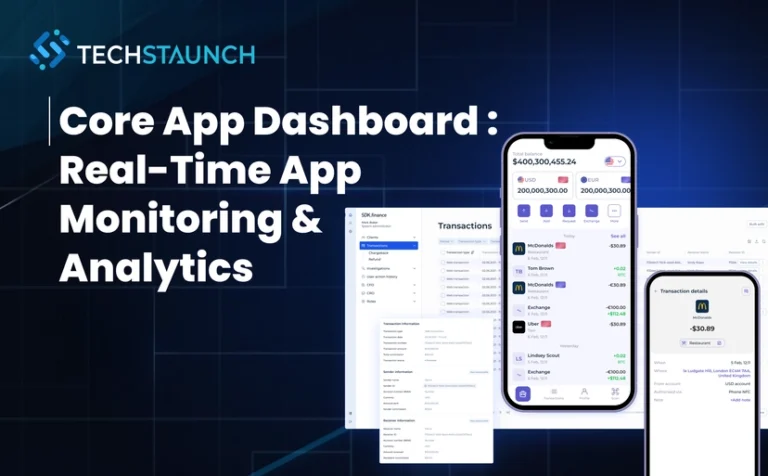
In today’s digital ecosystem, businesses demand robust core app dashboard solutions that deliver comprehensive real-time monitoring, advanced analytics, and actionable insights. A well-architected application performance monitoring (APM) dashboard serves as your mission-critical control center, providing unprecedented visibility into application health, user behavior, infrastructure performance, and business metrics. At TechStaunch, we design and develop enterprise-grade dashboard solutions that transform how organizations monitor, analyze, and optimize their digital infrastructure.
A core app dashboard is a centralized visual analytics platform that aggregates, processes, and displays real-time performance metrics, user analytics, system health data, and business KPIs from multiple sources. This real-time monitoring dashboard consolidates information through intuitive visualizations, enabling data-driven decisions that improve application reliability, enhance user experience, and drive business outcomes.
According to Gartner’s 2026 research, over 70% of new APM implementations are cloud-native, and businesses leveraging advanced observability platforms reduce downtime by up to 60%. Modern core application dashboards integrate with your existing infrastructure through industry-leading tools, providing unified visibility across your entire technology stack.
Prometheus: Time-series database with powerful querying capabilities (PromQL)
Grafana: Industry-standard visualization platform with 100+ data source integrations
SigNoz: OpenTelemetry-native APM with unified logs, metrics, and traces
Apache SkyWalking: Distributed APM for microservices, cloud-native, and container-based architectures
Jaeger: Distributed tracing for microservices troubleshooting
Zipkin: Latency visualization for distributed systems
For career advancement in observability engineering, professionals leverage platforms like Lodely to level up their software engineering skills and stay current with monitoring best practices.
Data warehouses for historical analysis (Snowflake, BigQuery)
For data architecture guidance, organizations often partner with data warehouse consulting specialists to design scalable pipelines, optimize query performance, and implement governance frameworks.
Visualization & Alerting Layer
Interactive dashboards with drill-down capabilities
Real-time alerting systems (PagerDuty, Opsgenie, VictorOps)
Mobile-responsive interfaces for on-the-go monitoring
TechStaunch’s custom dashboard solutions incorporate advanced analytics engines and AI chatbot integration to enhance functionality with natural language querying, automated insights, and intelligent alert routing.
The foundation of effective application performance monitoring is comprehensive real-time visibility into system behavior. According to industry research, a single second of delay can translate into 7% loss in conversions and 16% drop in user satisfaction.
Our automation services can trigger automatic responses based on predefined thresholds, including auto-scaling, service restarts, and incident ticket creation.
Modern core app dashboard analytics leverage machine learning for predictive modeling, anomaly detection, and intelligent forecasting. Leading platforms like Datadog Watchdog, New Relic Applied Intelligence, and Dynatrace Davis® AI provide autonomous anomaly detection.
Pattern matching across similar historical incidents
TechStaunch’s analytics solutions incorporate sophisticated algorithms that learn from historical patterns. For data architecture needs, organizations leverage data warehouse consulting to design optimized data models, implement real-time ETL pipelines, and establish governance frameworks.
Comprehensive user experience dashboards track actual user interactions through Real User Monitoring, providing insights into frontend performance and user behavior patterns.
These tools monitor user journeys, page load times, and conversion metrics, enabling product teams to optimize features and interfaces based on real user behavior data.
Application security dashboards are critical for threat detection, vulnerability management, and regulatory compliance. Modern security monitoring integrates with SIEM platforms and provides real-time threat intelligence.
Tenable.io: Cyber exposure platform for vulnerability management
Qualys VMDR: Vulnerability management and compliance
TechStaunch’s security-focused solutions incorporate advanced threat detection and compliance monitoring. Our expertise in application development for the legal industry demonstrates deep understanding of strict compliance requirements and data protection regulations.
KPI monitoring dashboards bridge the gap between technical metrics and business outcomes, following the “5-second rule” — stakeholders should grasp overall performance status within 5 seconds.
TechStaunch specializes in custom solution development that aligns dashboards with specific business objectives, ensuring executives have access to the right KPIs at the right time.
Executive dashboards focus on high-level business metrics and strategic KPIs tailored for C-level executives and senior management. These business intelligence dashboards present information in digestible formats using scorecards, trend lines, and executive summaries.
TechStaunch’s custom development services ensure developer dashboards provide actionable insights that improve code quality, deployment velocity, and overall development efficiency.
Executive leadership: Strategic KPIs and business outcomes
Engineering teams: Technical metrics and operational needs
Product managers: User behavior and feature adoption
Support teams: Customer health and ticket trends
Finance: Cost optimization and budget tracking
Define Dashboard Objectives:
What decisions will this dashboard enable?
What actions should users take based on dashboard data?
What is the acceptable data freshness (real-time, hourly, daily)?
Who needs access and at what granularity?
What integrations are required?
Success Criteria:
Reduction in Mean Time To Detect (MTTD)
Improvement in Mean Time To Resolve (MTTR)
Increase in system uptime/availability
Faster decision-making cycles
Improved team collaboration
TechStaunch’s consulting approach includes comprehensive requirement gathering sessions. Our POC development expertise helps validate concepts and demonstrate value before full-scale implementation.
Core app dashboards significantly improve operational efficiency by providing centralized visibility and enabling faster issue resolution.
Quantifiable Benefits:
60% reduction in MTTR: Faster root cause identification
40% decrease in incidents: Proactive detection and prevention
30% improvement in productivity: Less time firefighting
50% reduction in alert noise: Intelligent alerting and correlation
25% cost savings: Optimized resource utilization
TechStaunch’s dashboard solutions have helped clients achieve substantial operational improvements. Our custom automation features reduce manual monitoring tasks, allowing teams to focus on strategic initiatives.
Predictive monitoring capabilities enable teams to identify and address potential issues before they impact users.
Proactive Monitoring Strategies:
Anomaly detection for unusual patterns
Predictive alerts based on trend analysis
Capacity planning to prevent resource exhaustion
Dependency mapping to understand blast radius
Canary analysis for deployment safety
TechStaunch’s AI-powered dashboard solutions include advanced anomaly detection and predictive modeling. Our AI chatbot integration can automatically notify relevant teams when potential issues are detected.
TechStaunch’s e-commerce dashboard expertise includes solutions for marketplace website development and retail optimization. Our retail AI agents integration enhances dashboards with intelligent product recommendations and demand forecasting.
Our retail management systems expertise enables comprehensive monitoring of point-of-sale systems, inventory management, and customer engagement across physical and digital channels.
Selecting a dashboard solution provider requires careful evaluation of technical capabilities, industry expertise, and proven track record.
Evaluation Criteria:
Years of experience in dashboard development
Industry-specific expertise and case studies
Technology stack proficiency
Security and compliance certifications
Client testimonials and references
Post-deployment support and SLAs
TechStaunch’s proven track record includes successful implementations across healthcare, fintech, retail, manufacturing, and logistics industries. Our comprehensive expertise includes:
Ongoing support is critical for dashboard solution success and long-term value realization.
Support Services:
24/7 technical support availability
Dedicated account management
Regular health checks and optimization
Version upgrades and patching
Security vulnerability remediation
Performance tuning
TechStaunch’s comprehensive support services ensure dashboard solutions continue to perform optimally and evolve with changing business requirements. Our commitment to long-term client relationships includes continuous optimization, feature enhancements, and proactive technical support.
The journey to implementing a core app dashboard begins with thorough assessment of current monitoring capabilities, pain points, and business requirements.
Assessment Activities:
Inventory existing monitoring tools and gaps
Document current alert fatigue and incident response times
Identify key stakeholders and their needs
Map data sources and integration requirements
Define success metrics and KPIs
TechStaunch’s consulting approach includes comprehensive analysis of existing systems, identification of monitoring gaps, and development of implementation roadmaps tailored to your organization.
Core app dashboard solutions represent critical investments in modern application management, operational efficiency, and business intelligence capabilities. The right dashboard solution provides:
Comprehensive Visibility: Real-time insights into application performance, user behavior, and business metrics
Data-Driven Decisions: Actionable intelligence that drives strategic and tactical decision-making
Proactive Operations: Early detection and prevention of issues before user impact
Cost Optimization: Resource efficiency and cloud cost management
Team Alignment: Shared visibility and common understanding across organizations
The future of application monitoring lies in intelligent, automated, highly integrated dashboard solutions that provide actionable insights while reducing operational complexity. Modern dashboards leverage AI for predictive analytics, incorporate real-time streaming data, and provide mobile-responsive interfaces for on-the-go visibility.
By partnering with TechStaunch, organizations can leverage cutting-edge dashboard technology to:
Optimize application performance and reliability
Improve user experience and satisfaction
Reduce operational costs and inefficiencies
Accelerate time-to-market for new features
Drive data-informed business growth
Contact TechStaunch today to learn how our custom core app dashboard solutions can transform your application monitoring capabilities and provide the insights needed to succeed in today’s competitive digital landscape. Our team of experts is ready to help you design, implement, and optimize dashboard solutions that deliver measurable business value.
A mandir is not just a sacred space in your home—it is a place of peace, positivity, and spiritual connection. With evolving interior trends, homeowners today are looking for stylish modern mandir designs that blend tradition with contemporary aesthetics. A well-designed mandir enhances the beauty of your home while creating a serene corner for daily prayers and meditation.
In this blog, we explore elegant, space-saving, and luxurious modern mandir design ideas to inspire your home interiors.
Why Choose a Modern Mandir Design?
Modern mandir designs focus on clean lines, minimal décor, and functional layouts while preserving traditional values. They are perfect for urban homes and apartments where space optimization and aesthetic appeal are equally important.
Benefits of a modern mandir design:
Space-efficient layouts
Sleek and elegant appearance
Easy maintenance
Customizable to match home interiors
Enhanced lighting and storage options
Popular Stylish Modern Mandir Design Ideas
1. Wall-Mounted Mandir Unit
Wall-mounted mandirs are perfect for compact homes and apartments. They save floor space and create a neat, organized prayer area.
Best for: Small living rooms or hallways Design tip: Add LED backlighting for a soft spiritual glow.
2. Wooden Mandir with Minimal Detailing
A wooden mandir with simple carvings or clean finishes creates a timeless look. Natural wood tones add warmth and elegance to the space.
Best for: Modern and traditional fusion homes Design tip: Choose teak or engineered wood for durability.
3. Glass-Enclosed Mandir
A glass partition around the mandir creates a separate sacred zone without blocking light. It adds a contemporary touch while maintaining openness.
Best for: Open-plan living spaces Design tip: Use frosted or etched glass for added privacy.
4. CNC-Cut Panel Mandir Design
Decorative CNC-cut panels with intricate patterns bring a stylish and artistic appeal to modern mandirs.
Best for: Luxury interiors Design tip: Use warm lighting behind the panel to highlight the design.
5. Floating Mandir with Storage
A floating mandir unit with drawers or cabinets helps keep prayer essentials organized while maintaining a clean look.
Best for: Compact apartments Design tip: Keep the colour palette neutral for a sophisticated feel.
6. Marble Finish Mandir
Marble or marble-finish mandirs add a luxurious and divine look. White marble, in particular, enhances brightness and purity.
Best for: Elegant and premium homes Design tip: Pair marble with subtle gold accents for a refined touch.
Modern Mandir Colour Combinations
Choosing the right colour palette enhances the spiritual atmosphere of your mandir.
Trending colour options:
White and gold
Beige and wood tones
Cream and marble finish
Pastel shades for soft elegance
Natural wood with warm lighting
Lighting Ideas for Stylish Mandir Design
Lighting plays a vital role in creating a peaceful ambiance.
LED strip lights behind the back panel
Pendant lights for a contemporary touch
Warm recessed ceiling lights
Backlit panels with soft golden glow
Proper lighting not only enhances the design but also creates a calming environment during prayers.
Space-Saving Mandir Ideas for Small Homes
If you have limited space, consider these smart solutions:
Corner mandir units
Mandir integrated into a cabinet
Foldable or sliding-door mandir
Compact wall niches with shelves
These designs ensure you have a dedicated spiritual space without compromising on style.
Tips to Design a Stylish Modern Mandir
1. Choose the Right Location
Select a quiet and clutter-free area in your home, preferably with natural light.
2. Keep It Simple and Elegant
Modern designs focus on minimalism—avoid excessive decoration.
3. Ensure Proper Ventilation
Allow enough airflow and light in the prayer area.
4. Maintain Cleanliness
Use easy-to-maintain materials for long-lasting beauty.
5. Match with Interior Theme
The mandir design should complement your overall home décor.
Trending Modern Mandir Design Styles
Minimal wooden mandir with backlit panel
Marble-finish mandir with gold detailing
Glass partition mandir in living room
Floating shelf mandir for small apartments
CNC panel designer mandir
Final Thoughts
A stylish modern mandir design perfectly blends spirituality with contemporary interiors. Whether you prefer a compact wall-mounted unit or a luxurious marble-finish mandir, the right design can enhance both the aesthetics and positive energy of your home.
By choosing elegant materials, soft lighting, and a harmonious colour palette, you can create a peaceful and beautiful prayer space that reflects your faith and personal style.
Whodeciswearr is not just a simple hoodie. It represents contemporary street wear culture, innovative design, and comfort. The fashion lovers love the brand due to its daring identity and style that can be worn. The unique feature of the hoodie is that it gives a combination of the statement and practicality. This hoodie is also easy to wear in real-life situations unlike trend-based objects. People wear it not merely because it looks great but it is versatile. This qualifies it as a good alternative to people constructing practical wardrobes.
What Daily Wear Really Means
Daily wear is strongly concerned with apparel that becomes integrated in everyday activities. It needs comfort, durability and easy styling. A https://whodecideswarr.com/product-category/hoodie/ to be put on on a daily basis has to feel natural in various environments. Flexibility is needed whether it is to work, attend classes, or go out. The hoodie on right must never be either too big or unimposing. Rather, it must be able to pair well with various outfits without trying. Considerate design and quality of fabrics have significant roles here. These functional considerations are of great importance in everyday fashion.
Why This Hoodie Is Relevant to Everyday Life
There is a distinct benefit of a Who Decides Warr hoodie that would fit well on a daily basis. It is usually designed to combine modern street fashion and neutral adaptability. This combination enables the wearers to wear it with jeans, cargos, or layered fits. The hoodie is also very useful in casual and semi casual settings. The use of soft fabric is very comfortable during prolonged periods of use. Also, organized stitching enhances the repetitive wear durability. The hoodie opens up the outfitting opportunities instead of restricting them. This is what makes it every day appeals.
Fashionable Feeling of Comfort
Most clothes are selected because of comfort but style is equally important. An effective hoodie will avoid the necessity of having to make a compromise between the two. Breathable materials do not create difficulties in long movement and changing temperatures. In the meantime contemporary editions maintain a sleek street wear look https://whodecideswarr.com/. This balance enables a person to be comfortable and at the same time have confidence in the eyes. The satisfaction with outfits is intuitive with a hoodie that feels good. Eventually, these items turn into a part of the wardrobe and no longer something one wears once or twice a month. Wear ability is long lasting, which enhances their value.
Easy Pairing Across Outfits
The performance of the garments will be enhanced when the wardrobes are compatible with existing clothes. The hoodie, which is matched with everyday attire, makes it very easy to plan an outfit. Differing color schemes, equal graphics and tidy formations espouse a variety of mixes. It matches perfectly well with sneakers, jackets and staple streetwear. This decreases the effect of decision fatigue but does not change personal style. The hoodie does not take up an entire outfit but rather adds to the overall arrangement of an outfit. This flexibility makes it a reliable day-to-day purchase. It is on this flexibility that practical fashion can thrive.
Sturdiness Which helps in everyday use
The daily wear clothes are subjected to continuous friction, movement and exposure to the environment. Thus, the durability will become a characteristic feature instead of an added benefit. A good hoodie does not change its shape and texture after being washed many times. The use of reinforced seams and fabric density are very essential in terms of structure. Comfort and appearance are maintained in the long run through the construction which is durable. Quality clothes minimise the number of replacements and enhance stability in the wardrobe. This practical value is an additional value that can be measured to daily investments in clothing. The longevity is also a major advantage.
And Trust with Constant Wearing
Dressing affects the way people are seen, perceived, and made to feel comfortable as well as gain confidence in their day-to-day undertakings. A day-to-day matching hoodie gives mental relief and fashion assurance. Jewellery wearers are ready without thinking about their suitability of the outfits. The natural confidence is brought about by familiarity and good fit. The instant clothing is incorporated in everyday living, then it facilitates self-expression in an effortless way. This stability builds an emotional attachment towards wardrobe items. These pieces in the course of time become anchors of personal style. Whether it is everyday fashion or not, it relies on this reliability.
Upgrade Your Daily Style
Selecting a Who Decides Warr hoodie that fits the daytime wardrobe is no ordinary change of attitude. It enhances comfort, eases and cleans up styling, and increases versatility of the wardrobe. The spending on versatile items can generate a value over time and the reliability in the future. Make your normal clothes more stylish with a practical yet stylish hoodie. Choose clothes which help movement, ability to wear and to wear easily. Create a wardrobe that complements your lifestyle and not your lifestyle. Beginning with your every-day dress today.